Addlaw - Legal Services
Project Overview
Addlaw is designed to simplify legal processes for businesses, addressing their frequent struggles with law and government dependencies. Aimed at any business requiring legal assistance, Addlaw's core philosophy is encapsulated in its name: integrating legal support seamlessly into business operations.
My Role
As the Lead Product Designer, my responsibilities encompassed overseeing the design process, coordinating with the development team, and ensuring that the final product aligned with our user-centric objectives.
As the Product Design Lead on a fully remote project, I initiated weekly design sprints to foster creativity and collaboration. I prepared materials in advance for focused discussions on design challenges, leading to the generation of multiple solutions. The best ideas were selected and shared with other teams, ensuring efficient problem-solving and keeping everyone updated, despite the remote working environment.
Objectives
1. User-Centric Design: Crafting a platform that caters specifically to businesses in need of legal services.
2. Informative Delivery: Ensuring that users are well-informed about the legal services they seek.
Challenges and Solutions
1. Enhancing Expert-User Interaction
Challenge: Prolonged legal services due to governmental dependencies.
Solution: Creating Dynamic timelines on both sides (admin & user) to visualize the process and give reports to users about the status of their requests and connecting experts directly to users.
2. KYC and Onboarding Flow
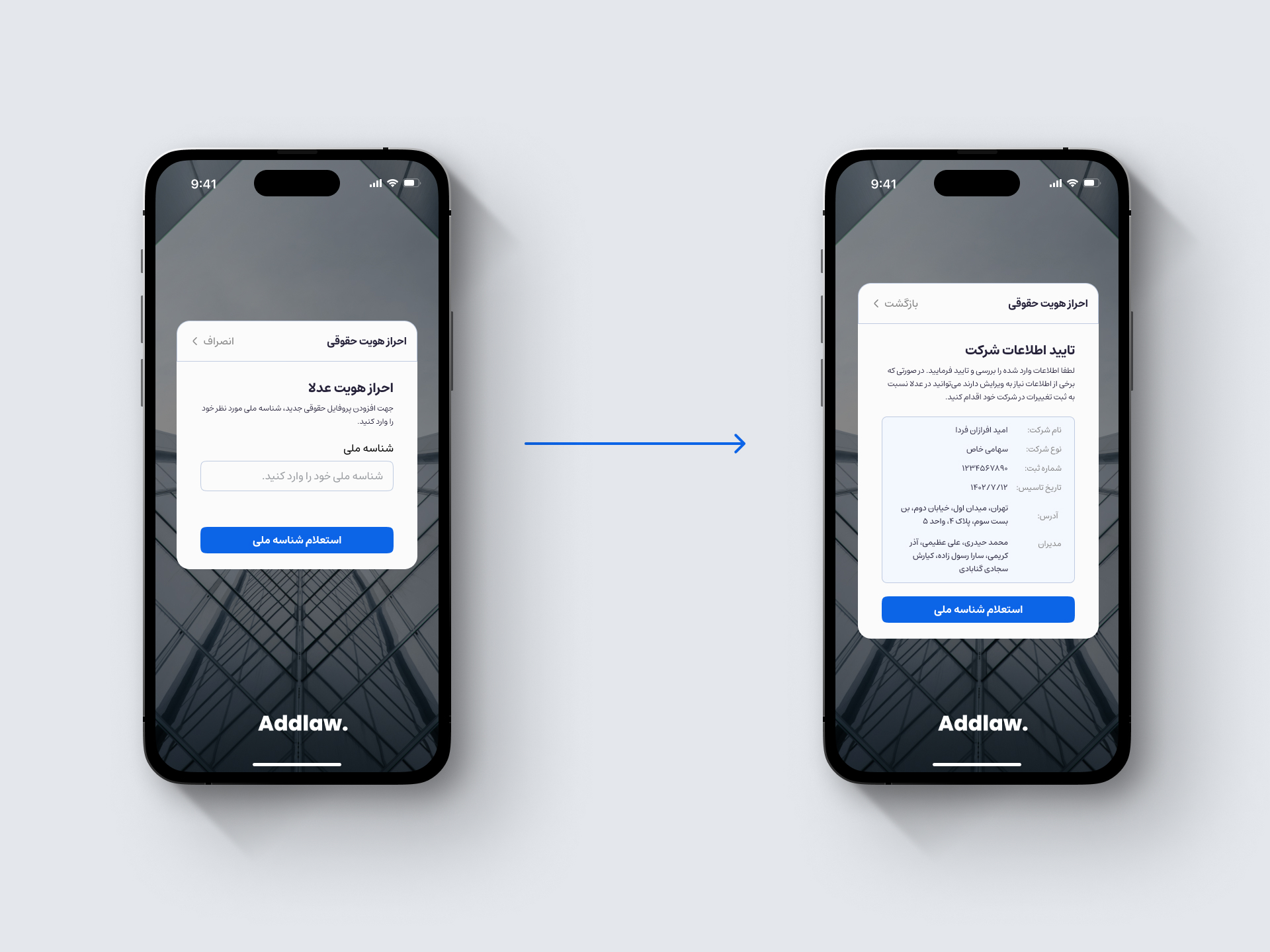
Challenge: Authentication of the business and the user. validating the connection between user and the company they are trying to receive service for while stopping the KYC flows from blocking and losing the users.
Solution: Integration of inquiry APIs to minimize data entry, postponing KYC to post-payment stages, and involving company directors for final validation.
3. Competing with Traditional Legal Agencies
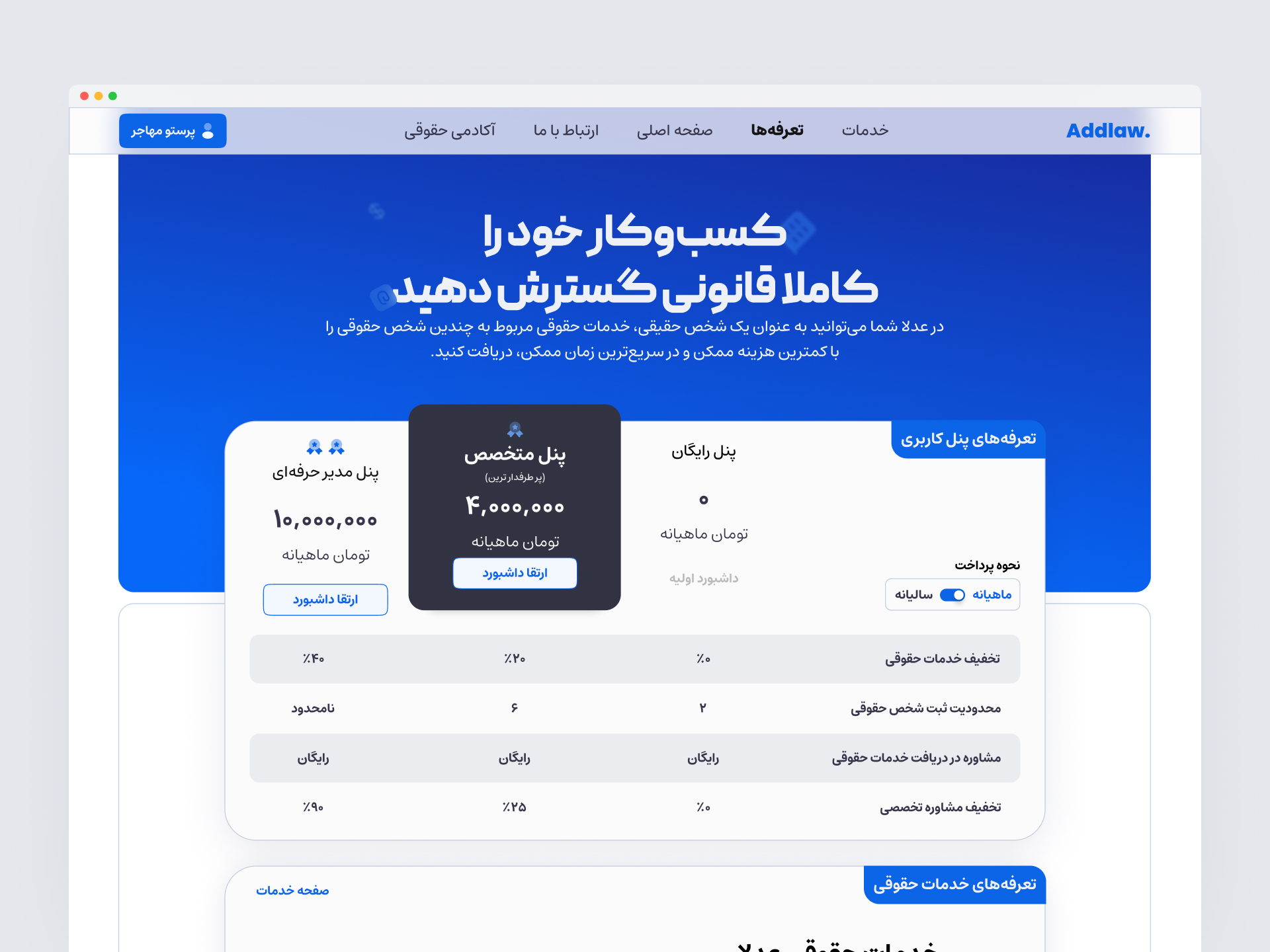
Challenge: Addressing the competition from traditional legal agencies offering similar but lower-quality services.
Solution: Introducing premium plans for managing multiple company services, providing a digital edge for physical agencies.
4. Educating Users
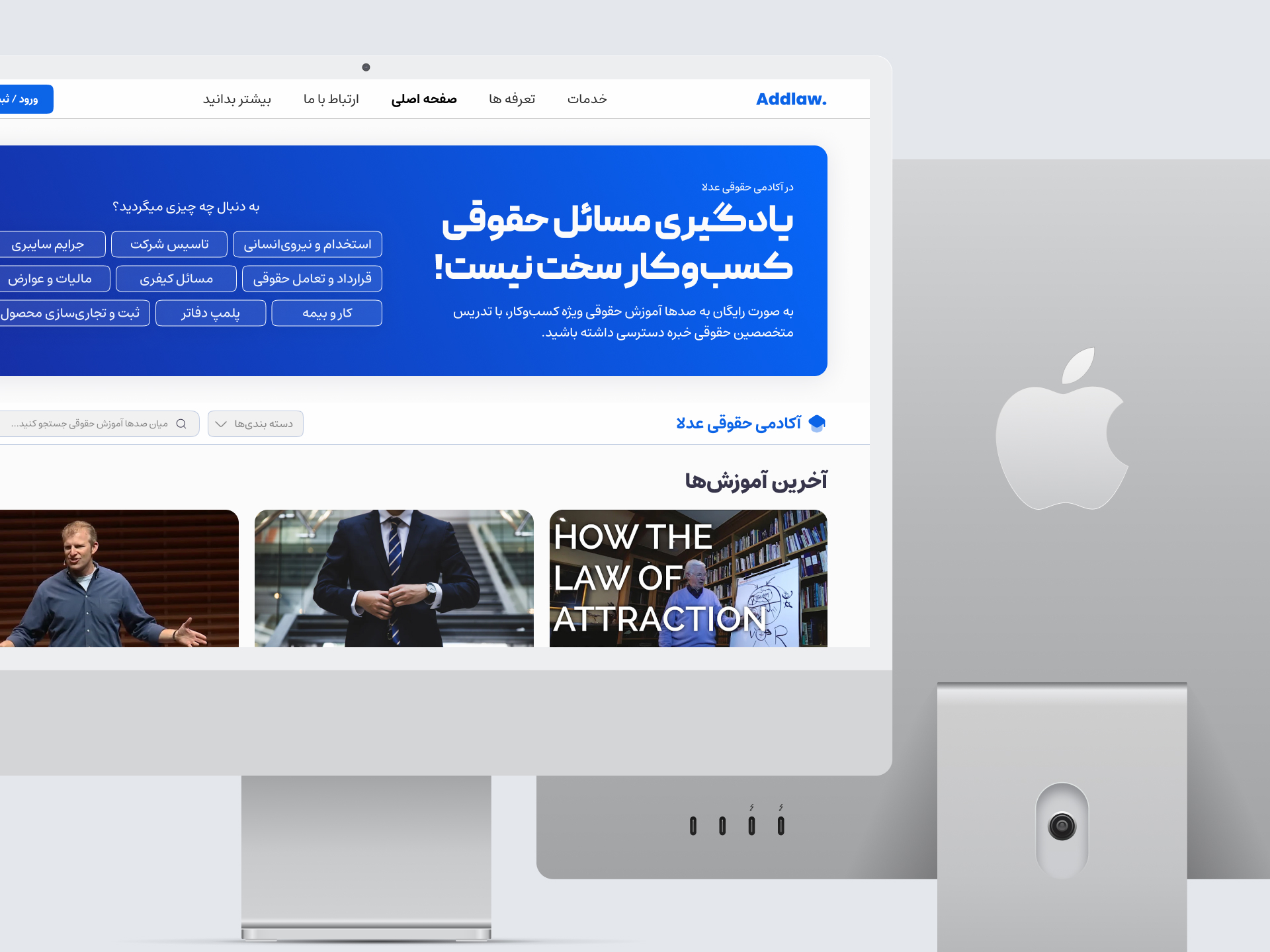
Challenge: Ensuring users have adequate knowledge of legal services for informed decisions.
Solution: Diverse information delivery methods, including custom hints, detailed form steps, an online legal academy, and private consultation booking System for booking sessions with experts.
Process and Development
1. Conducting User Research and Interviews
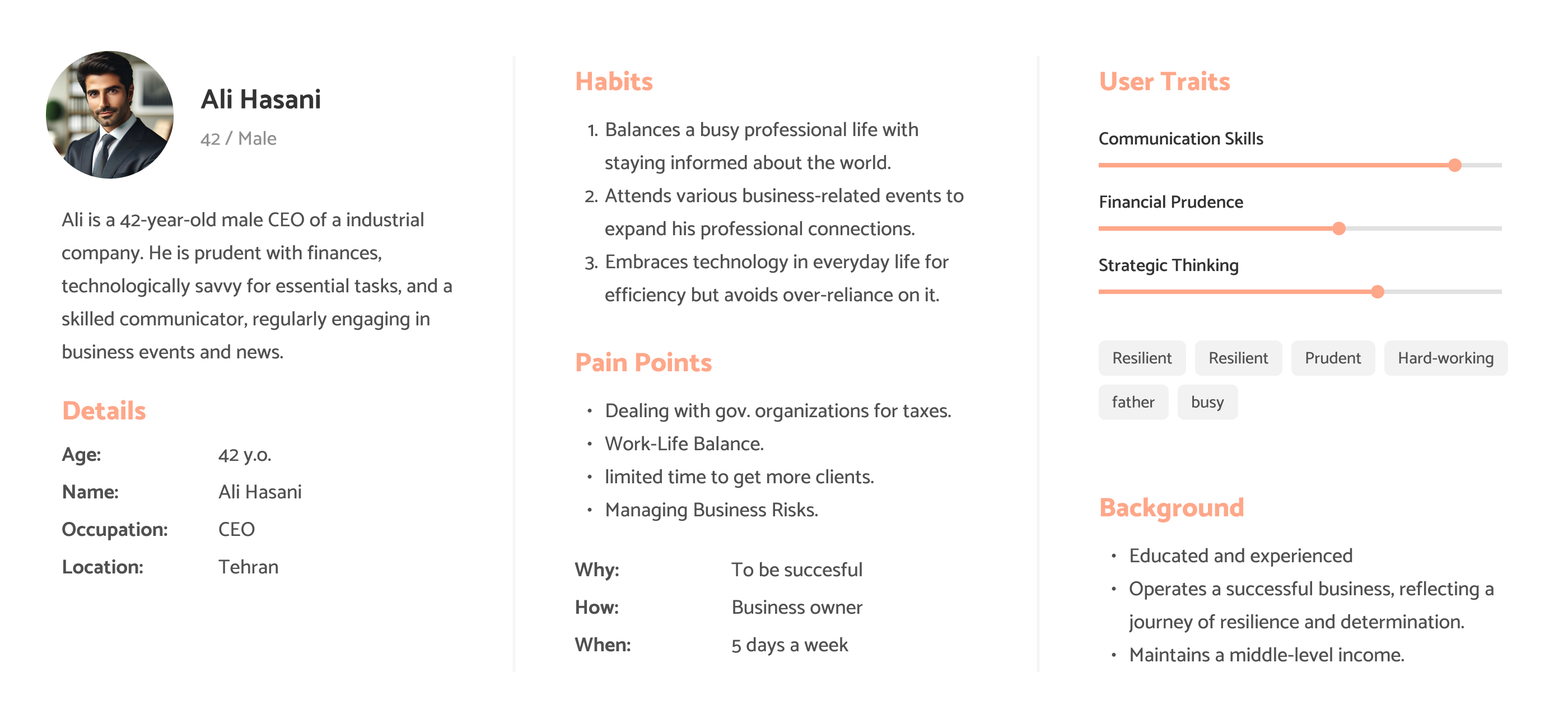
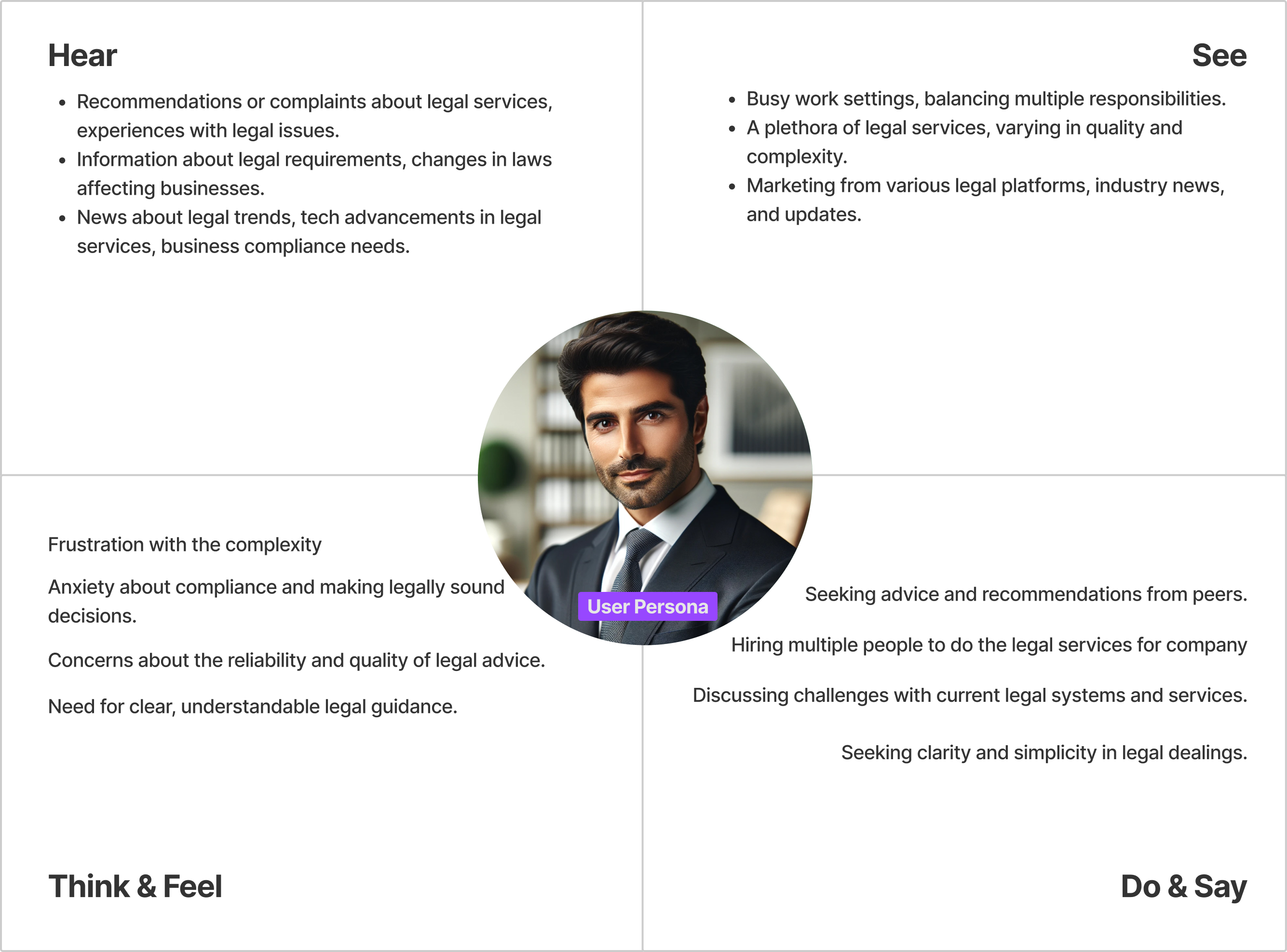
To deeply understand the needs and challenges of our target users, I conducted comprehensive user research. This involved organizing and leading interviews with potential users, focusing on gathering qualitative data. My approach was to create an open dialogue, allowing users to express their experiences and pain points freely, which provided invaluable insights into their daily workflows and the inefficiencies they encounter.
2. Defining User Problems
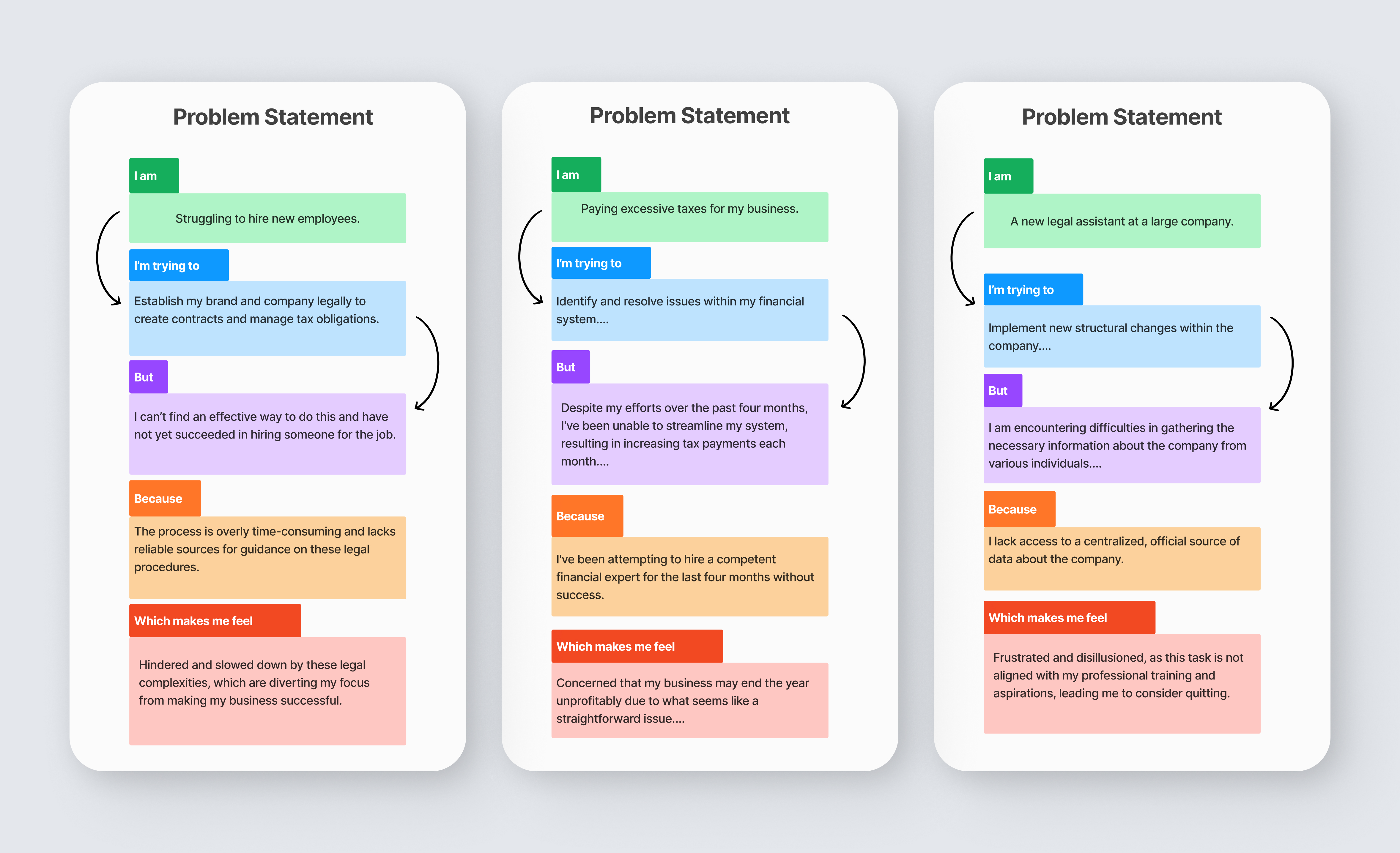
After collecting a wealth of user feedback, I took on the task of analyzing and synthesizing this data to clearly define the user problems. This process involved sifting through interview transcripts, identifying common themes, and pinpointing the specific challenges that our design needed to address. My goal was to translate these user insights into actionable design objectives.
Main Problems:
2-1. Complex Legal Interactions:
Businesses face significant challenges in interacting with legal experts and navigating legal processes, often encountering lengthy delays due to government dependencies, which hampers their ability to address legal needs promptly.
2-2. Lack of knowledge about processed and considerations of legal services:
Users often lack sufficient knowledge about the legal services they are seeking, which can lead to unnecessary expenses and inefficiencies. This lack of understanding is a barrier to making informed decisions and fully benefiting from the services provided
2-3. Data entry:
Business owners face significant inefficiencies in traditional legal services, which require extensive and time-consuming data entry, including the printing and manual signing of numerous forms. This outdated process often leads to delays and errors, hindering the swift and effective management of legal affairs
3. Ideation and Solution Selection
With a clear understanding of the user problems, I led brainstorming sessions to generate a wide range of potential solutions. I encouraged creative thinking and diverse perspectives, ensuring a variety of ideas. After generating a robust list of potential solutions, I employed a critical evaluation process to select the most practical and impactful ideas for further development.
4. User Flow and Sitemap Design
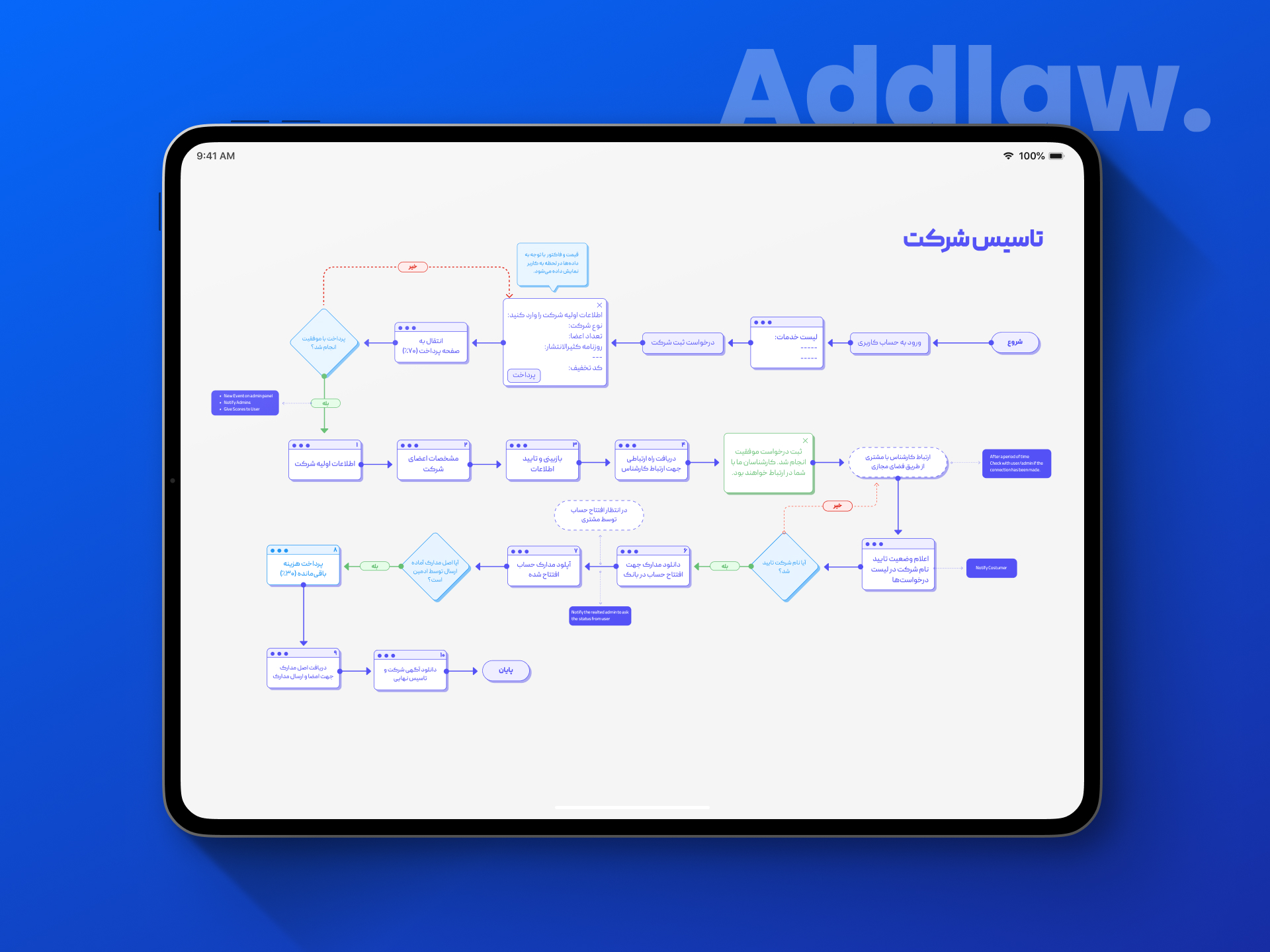
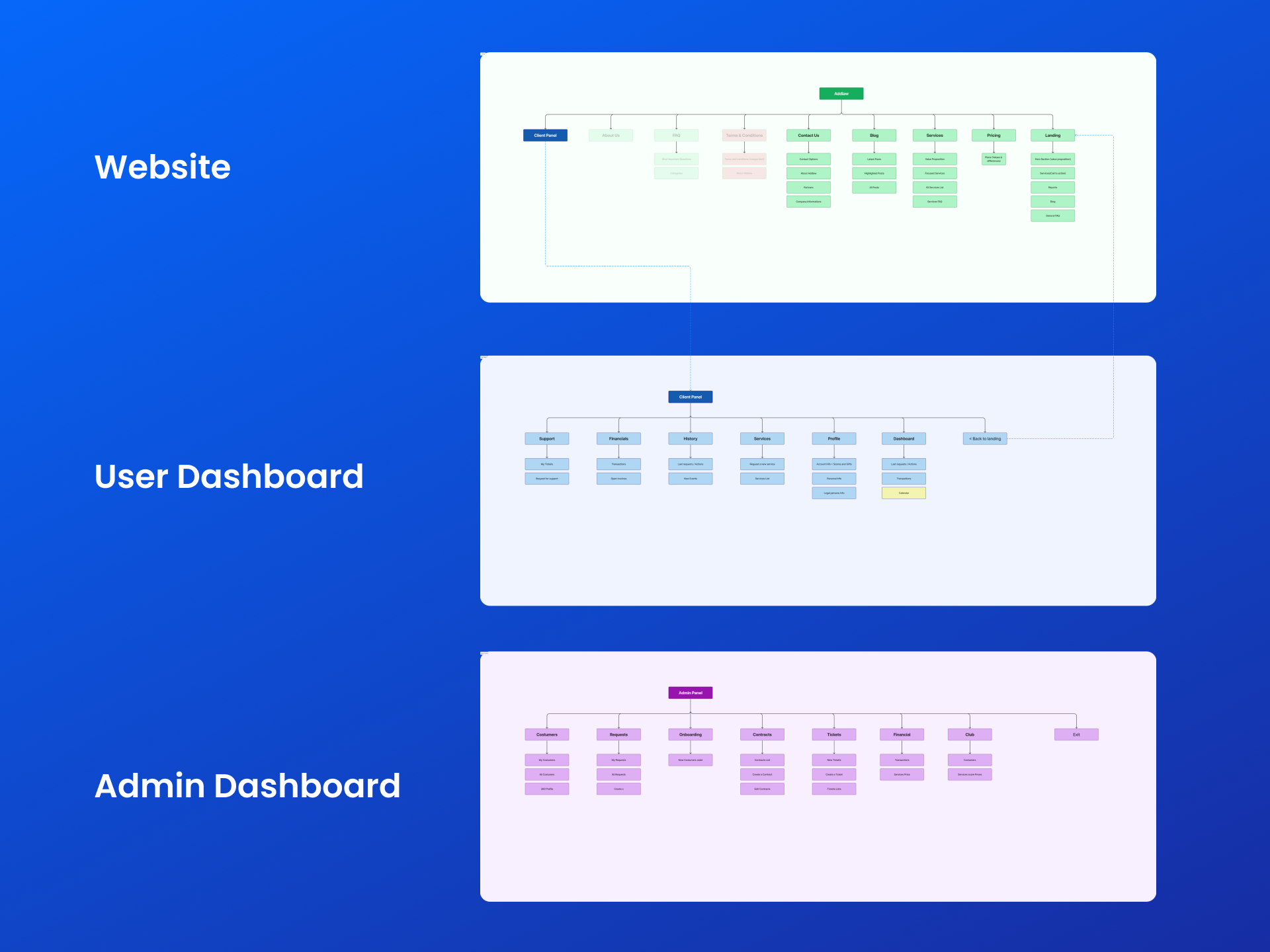
I mapped out the user journey to define how users would interact with our product. This step involved creating detailed user flow diagrams, which served as blueprints for the user experience. My focus was on ensuring a logical, intuitive, and seamless flow, addressing the identified user problems at each step.
5. Customizing Design Systems
I customized our design system to ensure consistency across the product. This involved selecting color schemes, typography, and UI elements that align with our brand and enhance usability. My approach was methodical, ensuring that every design choice reinforced a cohesive and user-friendly interface.
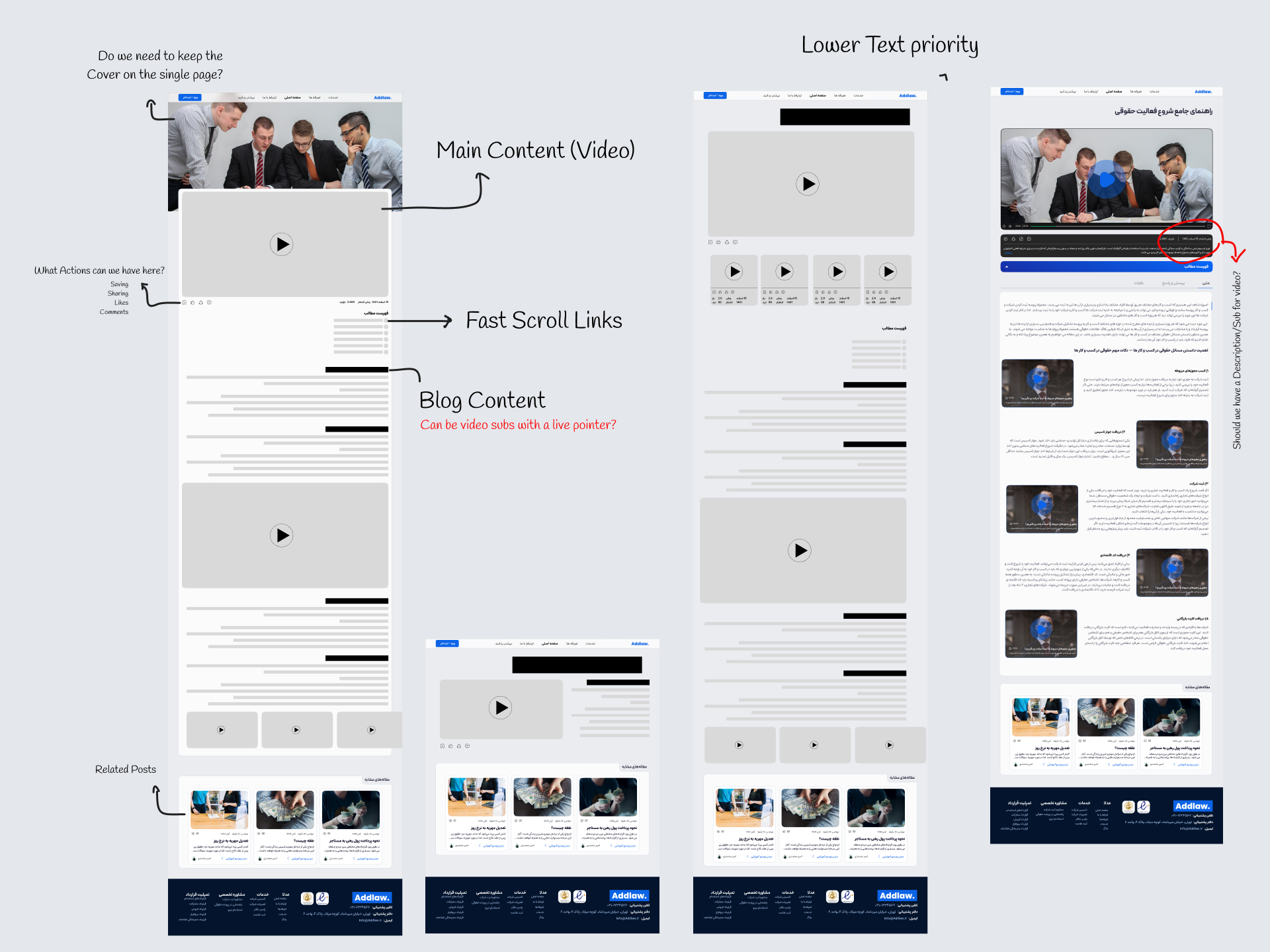
6. Creating Wireframes
I developed wireframes as the skeletal framework of our product's design. These wireframes were crucial in visualizing the basic layout and interaction patterns. My emphasis was on simplicity and clarity, ensuring that the wireframes effectively communicated the design concept to stakeholders and team members.
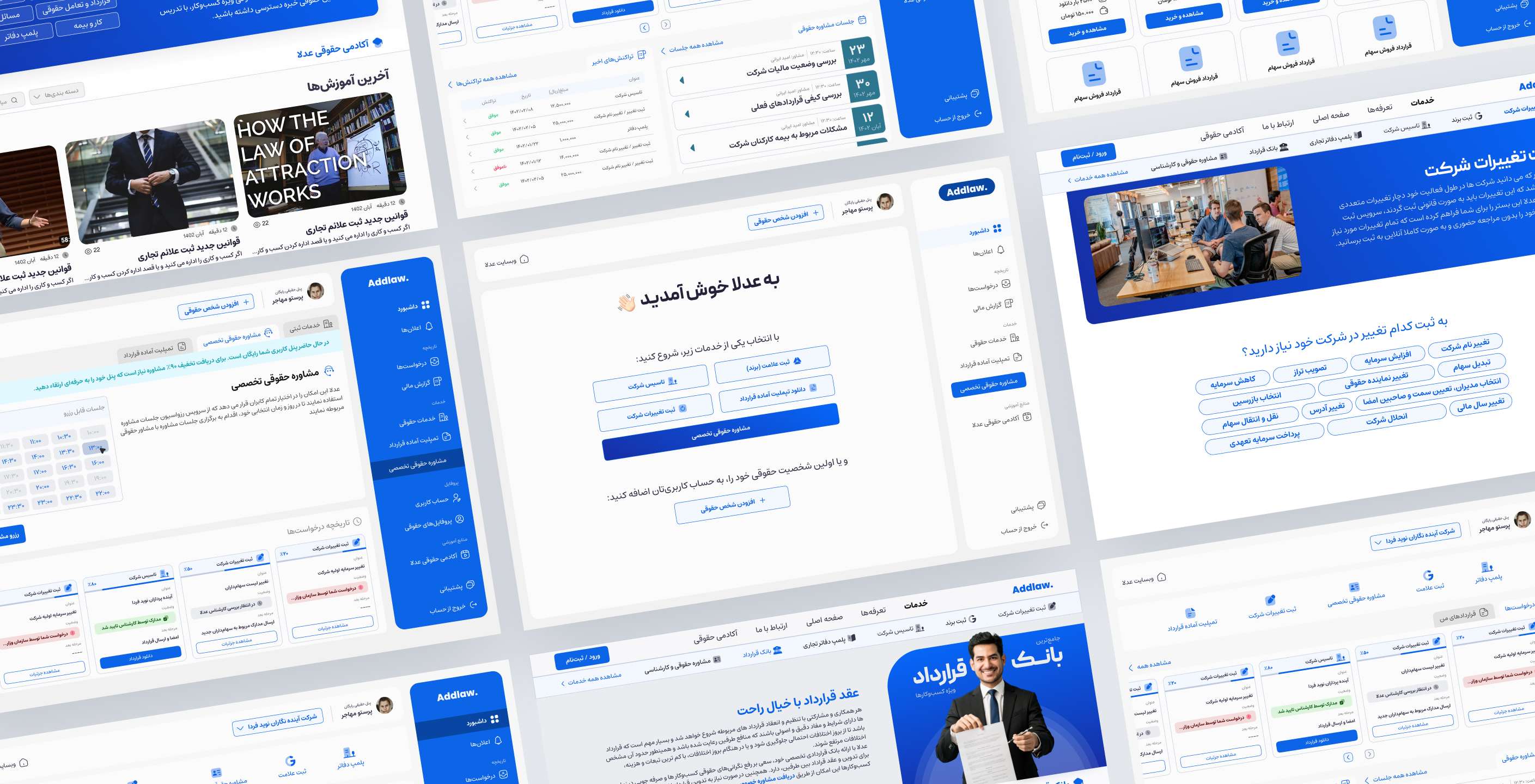
7. Developing Main UI and Responsive Designs
I took charge of designing the main user interface, focusing on creating an engaging and aesthetically pleasing experience. Additionally, I ensured the responsiveness of the design, making certain that our product delivered a consistent user experience across various devices and screen sizes.
8. Implementing Interaction Design
I implemented the interaction design to enhance the user experience. This involved creating dynamic elements and transitions that respond to user actions, making the interface more intuitive and engaging. My goal was to make the interactions feel natural and fluid, enhancing the overall usability of the product.
9. Performing A/B Testing
To validate and refine our design, I conducted A/B testing. This involved creating different versions of specific design elements and systematically testing them with a segment of our user base. My approach was data-driven, relying on user feedback and performance metrics to make informed design decisions.
Lessons Learned
The critical role of interaction design in catering to a non-technical audience.
Effective management and leadership within the design team.
Collaborating with developers to optimize design under time constraints.